
Server Upgrade, Remote Desktop Auth Fix
The document is intended to be followed only by FVC staff/vendors who have already completed the Server Upgrade instructions, linked here.
To ease the transition we've kept the password the same across both servers, but the username can change a bit.If you see a message stating The User Account Did Not Work cancel the connection request. We will edit the single account to work on both servers.
- Continue with this
stepprocess only if you have authentication issues.- Microsoft Remote Desktop should already be open.
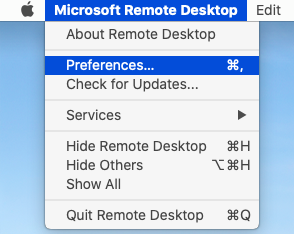
ToSelect theMicrosoft Remote Desktopmenu, thenPreferences:
- Switch to the
User Accountstab and locate theUsernamefield.
ToChange from
FVC\usernametousername@ad.foleyvisioncenter.com.- e.g.
To